
Free online photo booth: make a four-cut photo strip
Make a 4-photo strip in seasonal frames with the free Sea Pals online photo booth, then download or share it. It works in your browser with no account, and nothing is uploaded.
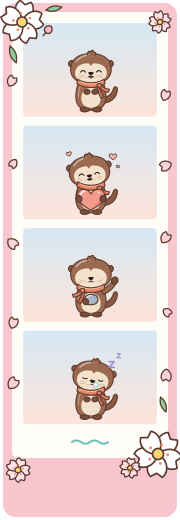
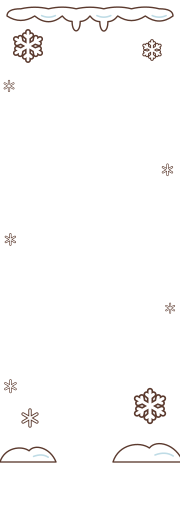
Seasonal photo strip templates
Blossom Drift has a pink border with blossoms and drifting petals; Fireworks Night has dotted fireworks against deep blue. Moon Harvest pairs a lilac border with a glowing moon, grasses and autumn leaves, while First Snow has a pale blue border with snowflakes and snow drifts. Each frame surrounds the same photo booth strip, with its name and a small seapals.app mark below the photos. Choose one of these photo strip templates before shooting.

How the online photo booth works
- Choose a seasonal frame for your photo strip.
- Choose “Just me” or “Friends, this phone”. Friends in the same place share this camera view.
- Select “Start the camera” and allow camera access. The booth takes 4 photos, each after a 3-second countdown.
- Download your strip as a PNG, or share it where your browser supports file sharing. Try these photo booth pose ideas for friends for your next strip.
Use the online photo booth with friends
Choose “Friends, this phone” and squeeze into the camera view together. Check that faces fit inside the photo window before the countdown starts.
A photo booth app for friends far away
In the Sea Pals app, friends can connect by link or code and make a shared strip, each taking their cuts on their own phone. Use Sea Pals on iPhone, Android and the web. For this browser booth, gather everyone in the same camera view.
Korean-style four-cut photos
A four-cut photo strip brings 4 photos into one image, keeping a short sequence of poses together. This online photo booth uses that Korean-style strip format with Sea Pals’ own seasonal frames. It makes a PNG to save or print, without beauty filters or automatic printing. If you enjoy talking about Korean music and culture, explore K-pop pen pals.
Your camera, nothing uploaded
The camera stops when the shoot finishes or you cancel. Download the finished image before leaving, and share it only when everyone in it agrees.
Keep shared photo strips in your Book
In Sea Pals, photo strips made with a friend go in your Book. This browser photo strip maker gives you a PNG to download or share, so keep that image before leaving the page.
Questions
Is this online photo booth free?
Yes. Taking photos, making a strip and downloading it are free.
Are my photos uploaded?
No: photos stay in your browser while the strip is made, and nothing is uploaded to Sea Pals. Download saves a PNG to your device; Share opens your device’s sharing options where file sharing is supported, or downloads it instead.
Can I make a photo strip with a friend far away?
This online booth uses one device, so everyone must be in the same camera view. In the Sea Pals app, friends who already know each other can connect by link or code and make one shared strip, each taking their cuts on their own phone.
How many photos are in a strip?
Your 4-photo strip is taken in sequence, with a 3-second countdown before each shot. The photos are combined into one image with your chosen frame.
Does it work on my phone or laptop?
Yes, with a camera and a browser that supports camera access over HTTPS, including on Android phones. Allow camera access when prompted.
Is this like a Korean photo booth?
It uses the same 4-photo strip idea with our own seasonal frames. It does not add beauty filters or automatic printing.
Can I print it?
Yes. Download your strip as a PNG image and print it using your printer or a print service. Choose the paper size in your print settings.